Meta-World#
← Tutorial Library · Simulation and Benchmarks
This section introduces the general functions of LeRobot. Please configure the example according to the target robot, data set and operating environment; before using it with AlohaMini 2 / 2 Pro, you need to confirm the hardware and interface compatibility.
Meta-World is an open-source simulation benchmark for multi-task and meta reinforcement learning in continuous-control robotic manipulation. It bundles 50 diverse manipulation tasks using everyday objects and a common tabletop Sawyer arm, providing a standardized playground to test whether algorithms can learn many different tasks and generalize quickly to new ones.
Paper: Meta-World: A Benchmark and Evaluation for Multi-Task and Meta Reinforcement Learning paper
GitHub: Farama-Foundation/Metaworld
Project website: metaworld.farama.org
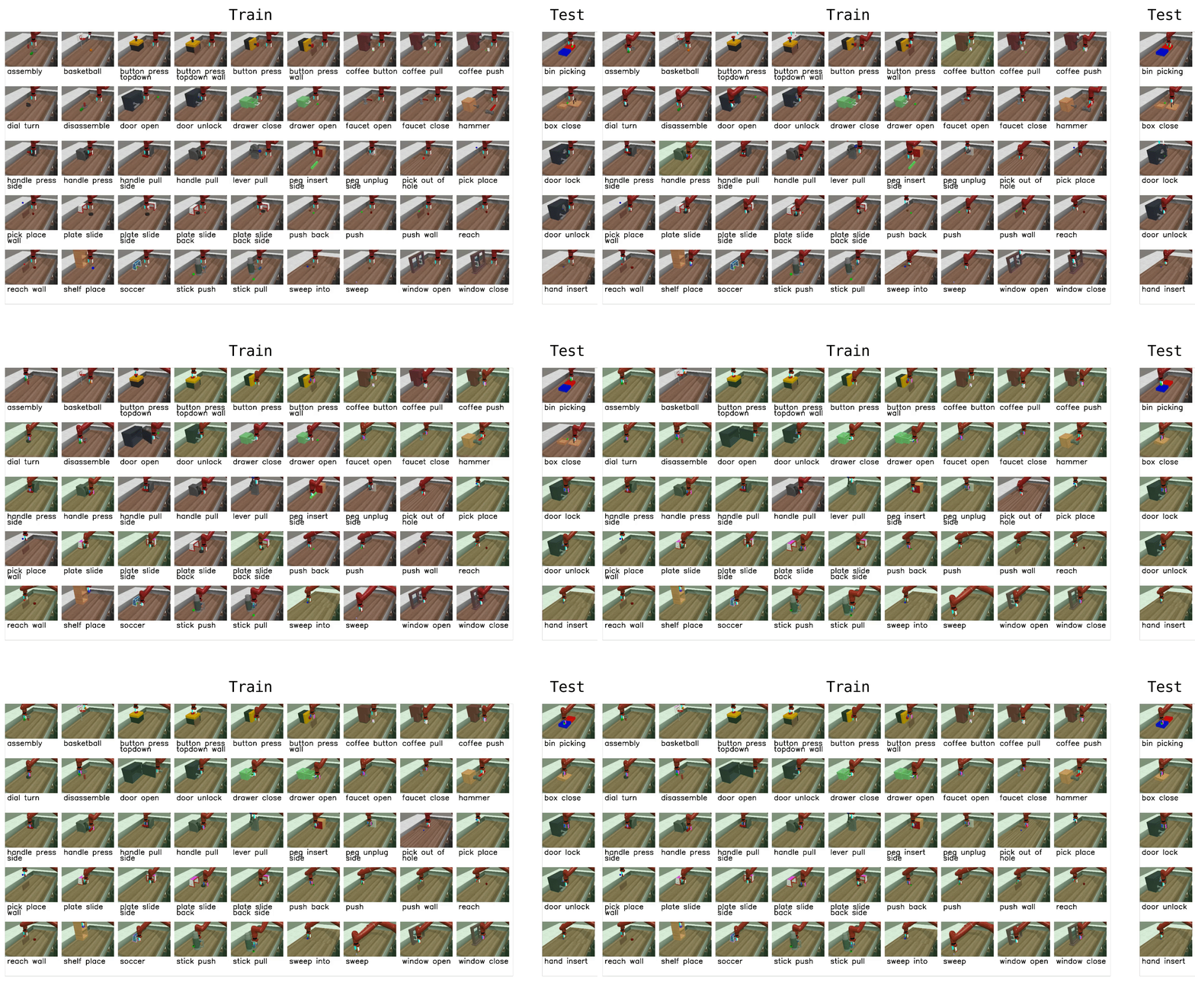
Available tasks#
Meta-World provides 50 tasks organized into difficulty groups. In LeRobot, you can evaluate on individual tasks, difficulty groups, or the full MT50 suite:
Group |
CLI name |
Tasks |
Description |
|---|---|---|---|
Easy |
|
28 |
Tasks with simple dynamics and single-step goals |
Medium |
|
11 |
Tasks requiring multi-step reasoning |
Hard |
|
6 |
Tasks with complex contacts and precise manipulation |
Very Hard |
|
5 |
The most challenging tasks in the suite |
MT50 (all) |
Comma-separated list |
50 |
All 50 tasks — the most challenging multi-task setting |
You can also pass individual task names directly (e.g., assembly-v3, dial-turn-v3).
We provide a LeRobot-ready dataset for Meta-World MT50 on the HF Hub: lerobot/metaworld_mt50. This dataset is formatted for the MT50 evaluation that uses all 50 tasks with fixed object/goal positions and one-hot task vectors for consistency.
Installation#
After following the LeRobot installation instructions:
pip install -e ".[metaworld]"
Tips
If you encounter an AssertionError: ['human', 'rgb_array', 'depth_array'] when running Meta-World environments, this is a mismatch between Meta-World and your Gymnasium version. Fix it with:
pip install "gymnasium==1.1.0"
Evaluation#
Default evaluation (recommended)#
Evaluate on the medium difficulty split (a good balance of coverage and compute):
lerobot-eval \
  --policy.path="your-policy-id" \
  --env.type=metaworld \
  --env.task=medium \
  --eval.batch_size=1 \
  --eval.n_episodes=10
Single-task evaluation#
Evaluate on a specific task:
lerobot-eval \
  --policy.path="your-policy-id" \
  --env.type=metaworld \
  --env.task=assembly-v3 \
  --eval.batch_size=1 \
  --eval.n_episodes=10
Multi-task evaluation#
Evaluate across multiple tasks or difficulty groups:
lerobot-eval \
  --policy.path="your-policy-id" \
  --env.type=metaworld \
  --env.task=assembly-v3,dial-turn-v3,handle-press-side-v3 \
  --eval.batch_size=1 \
  --eval.n_episodes=10
--env.taskaccepts explicit task lists (comma-separated) or difficulty groups (e.g.,easy,medium,hard,very_hard).--eval.batch_sizecontrols how many environments run in parallel.--eval.n_episodessets how many episodes to run per task.
Policy inputs and outputs#
Observations:
observation.image— single camera view (corner2), 480x480 HWC uint8observation.state— 4-dim proprioceptive state (end-effector position + gripper)
Actions:
Continuous control in
Box(-1, 1, shape=(4,))— 3D end-effector delta + 1D gripper
Recommended evaluation episodes#
For reproducible benchmarking, use 10 episodes per task. For the full MT50 suite this gives 500 total episodes. If you care about generalization, run on the full MT50 — it is intentionally challenging and reveals strengths/weaknesses better than a few narrow tasks.
Training#
Example training command#
Train a SmolVLA policy on a subset of Meta-World tasks:
lerobot-train \
  --policy.type=smolvla \
  --policy.repo_id=${HF_USER}/metaworld-test \
  --policy.load_vlm_weights=true \
  --dataset.repo_id=lerobot/metaworld_mt50 \
  --env.type=metaworld \
  --env.task=assembly-v3,dial-turn-v3,handle-press-side-v3 \
  --output_dir=./outputs/ \
  --steps=100000 \
  --batch_size=4 \
  --eval.batch_size=1 \
  --eval.n_episodes=1 \
  --env_eval_freq=1000
Practical tips#
Use the one-hot task conditioning for multi-task training (MT10/MT50 conventions) so policies have explicit task context.
Inspect the dataset task descriptions and the
info["is_success"]keys when writing post-processing or logging so your success metrics line up with the benchmark.Adjust
batch_size,steps, andenv_eval_freqto match your compute budget.