Exception handling#
Check in order of power supply, wiring, serial port and configuration. For the complete process, see Robot troubleshooting.
E001 ·Error when calibrating the robot arm: the prompt values are the same#
recurrence command
python -m lerobot.robots.alohamini.alohamini_host --robot_model xxxxx
error message
ValueError: Some motors have the same min and max values
fault reason
Pressing C during the calibration process triggered recalibration, but no joint movement was actually performed, resulting in the same Min/Max values being written and the calibration file being invalid.
solution
Read the novice tutorial and re-execute the complete calibration process to ensure that each joint has moved to the corresponding physical limit position before pressing OK.
E002 · Left arm missing servos 8–11#
recurrence command
python -m lerobot.robots.alohamini.alohamini_host --robot_model xxxxx
error message
Missing motor IDs:
8 (expected model: 777)
9 (expected model: 777)
10 (expected model: 777)
11 (expected model: 777)

Full expected motor list (id: model):
1:777, 2:777, 3:777, 4:777, 5:777, 6:777,
8:777, 9:777, 10:777, 11:777
fault reason
The left arm servo drive board needs to be connected to two buses: one to the robotic arm (connected to servos No. 1-6), and one to the lifting axis (connected to servos No. 8-11). If the bus on the lifting axis side is missing, the drive board will not be able to enumerate servos No. 8–11.
The left and right arms are reversed. The left arm corresponds to servos No. 1-11, and the right arm corresponds to servos No. 1-7. Re-modify the port number in the code to correspond to the correct robot arm
solution
Check the left arm servo driver board to confirm that the bus from the lift axis is plugged in correctly.
After reconnecting, use
get_motors_statesto verify whether all servos on the bus can be enumerated normally:
After confirming that all servos 1–11 appear, start the host again.
E003 · Raspberry Pi voltage or current is insufficient#
recurrence command
python -m lerobot.robots.alohamini.alohamini_host --robot_model xxxxx
error message
TimeoutError: Timed out waiting for frame from camera OpenCVCamera(/dev/am_camera_wrist_left) after 1000 ms. Read thread alive: True.
FATAL: exception not rethrown
Aborted
fault reason
The voltage or current input of Raspberry Pi is insufficient and cannot activate more than 2 cameras at the same time.
solution
Check the battery level, fully charge the battery and try again.
E004 · Unable to read the status of the robotic arm/the servo light does not light up#
recurrence command
python examples/debug/motors.py get_motors_states \
  --port /dev/ttyACM0
error message
No motors found in ID range [1, 22] on COM12.FATAL: exception not rethrown
fault reason
There is no power supply to the driver board or the battery power is extremely low.
Connect the gripper directly to the servo drive board, and then execute the get_motors_states command. If the servo status still cannot be read, it can be determined that the servo drive board is damaged.
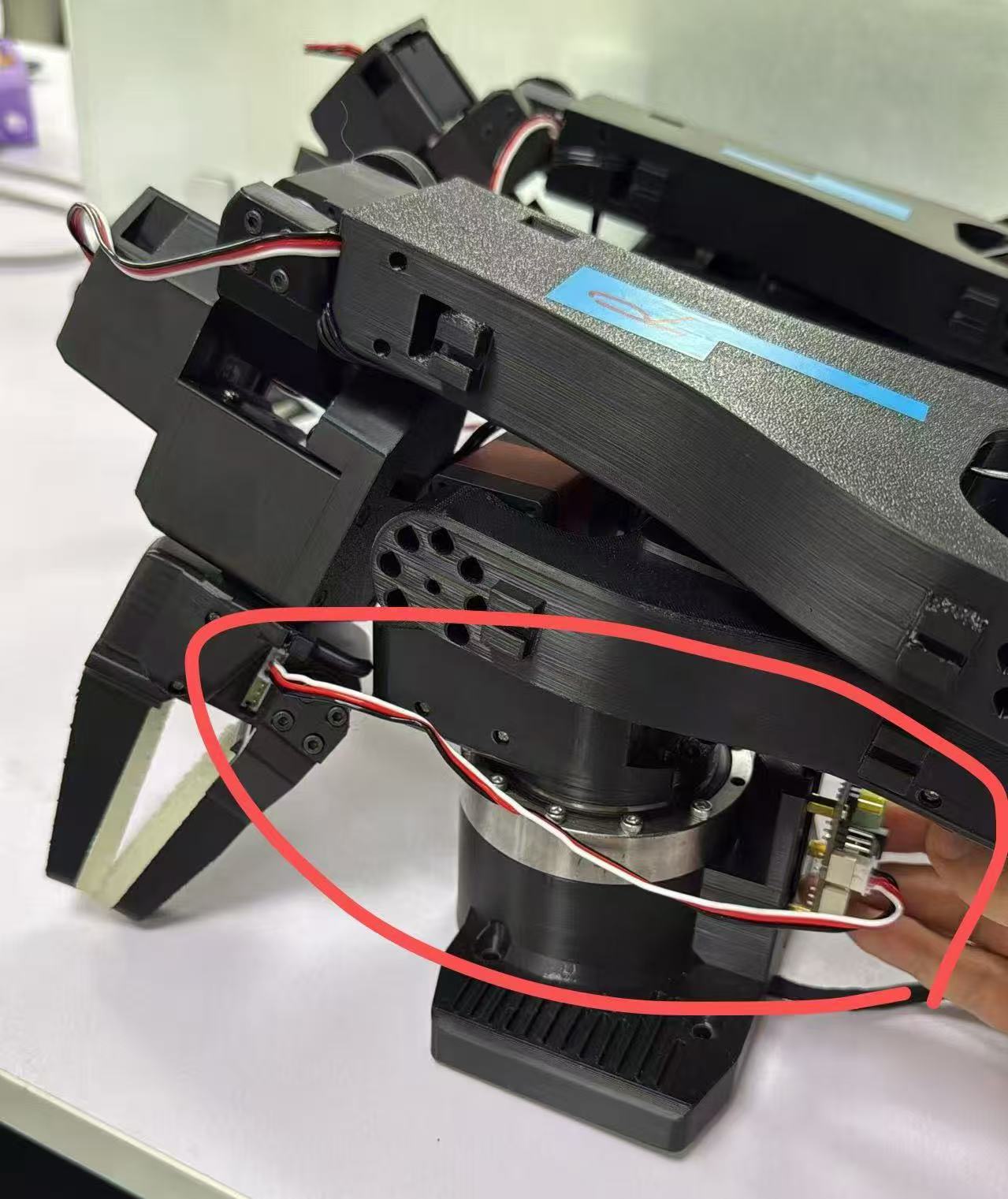
If the gripper can be read normally but other servos cannot be read, it may be that the serial port line of other joints is loose or the joint servos are damaged. You need to connect the driver boards one by one to troubleshoot.
solution
Check whether the 5521 interface of the driver board is powered normally
Replace with a new servo drive board
Tighten the serial cables of all joints and check one by one to see if any servos are damaged.