AlohaMini-Simulation#
← 教程资料库 · AlohaMini 硬件与操作
适用型号请结合本页硬件配置确认。
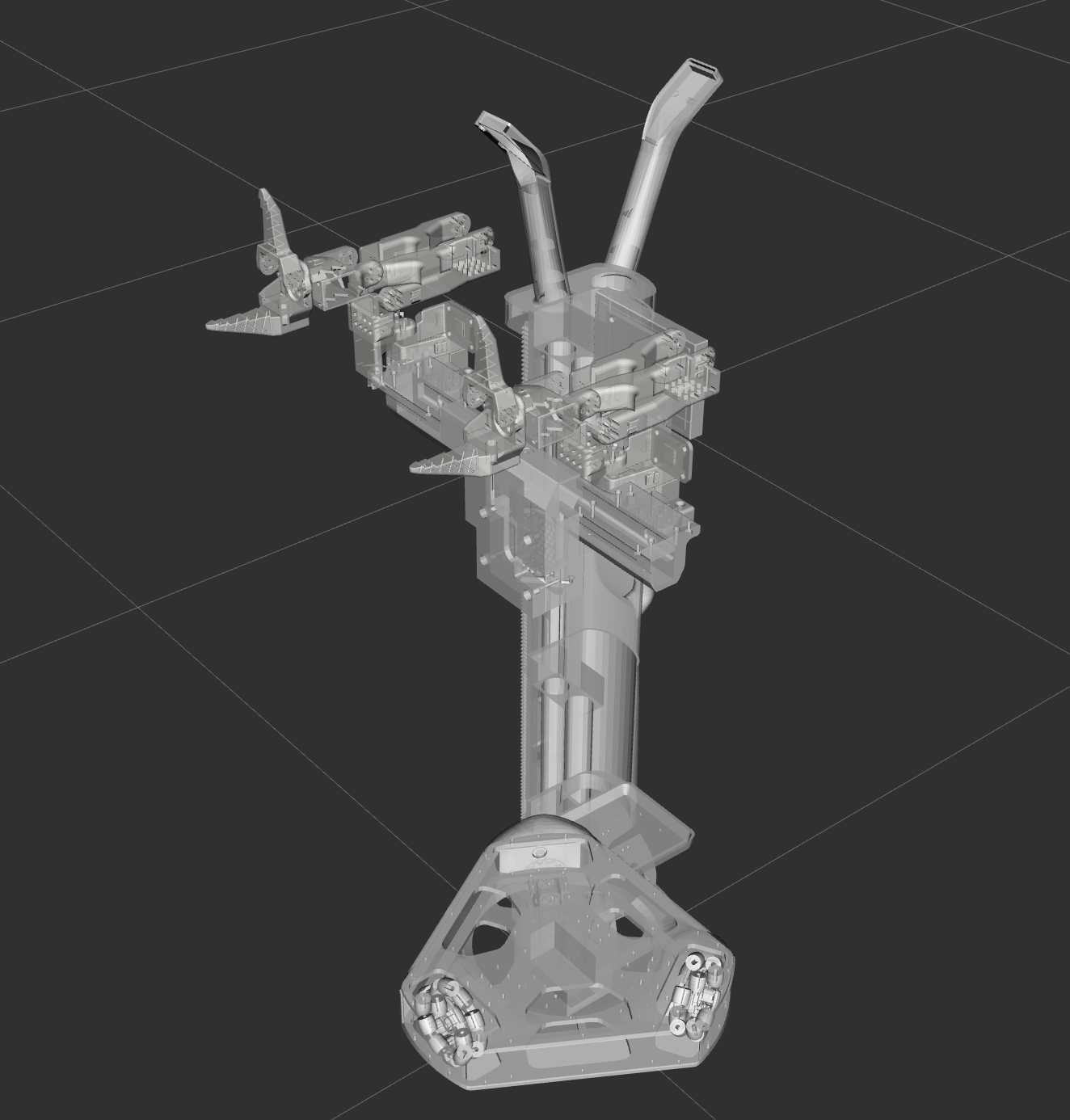
This directory contains the simulation and visualization assets for AlohaMini. It provides dual-stack support for both ROS 1 and ROS 2, enabling high-fidelity visualization in RViz and physics-based testing in Gazebo.
ROS 2 — Build & Run (colcon)#
These instructions target ROS 2 (colcon-based workspaces). Adjust the distro names (Foxy/Galactic/Humble/Jazzy) as needed.
Install prerequisites (example):
# install colcon and ros dependencies (example for Ubuntu)
sudo apt update
sudo apt install -y python3-colcon-common-extensions python3-rosdep
Build the workspace:
cd simulation
colcon build
Source the overlay before running:
source install/setup.bash
(Optional) Force FastDDS as the RMW implementation:
export RMW_IMPLEMENTATION=rmw_fastrtps_cpp
Run RViz2 visualization (example):
ros2 launch Aloha display.launch.py # RViz2 visualization
Notes for ROS 2:
Ensure you installed ROS 2 for your target distro and that
source /opt/ros/<distro>/setup.bashis present in your shell if needed.If using mixed ROS1/ROS2 setups, configure the ROS1-ROS2 bridge separately.
ROS 1 — Build & Run (catkin)#
These instructions target ROS 1 (catkin-based workspaces) such as Melodic or Noetic.
Create a catkin workspace and place the repository in
src:
mkdir -p ~/catkin_ws/src
cd ~/catkin_ws/src
# assuming AlohaMini repository is already cloned
ln -s /path/to/AlohaMini/simulation ~/catkin_ws/src/Aloha
cd ~/catkin_ws
Install and resolve dependencies with
rosdep:
sudo apt update
sudo apt install -y python3-rosdep
sudo rosdep init   # only if rosdep isn't initialized yet
rosdep update
rosdep install --from-paths src --ignore-src -r -y
Build with
catkin_make:
catkin_make
source devel/setup.bash
Or build with catkin_tools (catkin build):
sudo apt install -y python3-catkin-tools
cd ~/catkin_ws
catkin build
source devel/setup.bash
Run ROS 1 launch files:
roslaunch Aloha display.launch       # RViz visualization
roslaunch Aloha gazebo.launch        # Gazebo visualization
Notes for ROS 1:
These commands are intended for Linux (Ubuntu). For Windows, use WSL or a Linux VM for better ROS1 support.
If you see missing packages, double-check that package names and dependencies match your ROS distro (Melodic vs Noetic).
Troubleshooting#
If RViz/RViz2 does not show robot models, ensure
robot_state_publisheris running and/tftopics are being published.For mixed ROS1/ROS2 systems, verify your ROS1-ROS2 bridge configuration and topic remapping.
If launches fail due to missing dependencies, run
rosdep install --from-paths src --ignore-src -r -yin the workspace root.
Acknowledgements#
This module was originally developed as a standalone repository, lemon198/AlohaMini-Simulation, and later integrated into the main AlohaMini project.