RoboTwin 2.0#
← 教程资料库 · 仿真与基准
本节介绍 LeRobot 的通用功能。请按目标机器人、数据集和运行环境配置示例;用于 AlohaMini 2 / 2 Pro 前,需要确认硬件与接口兼容性。
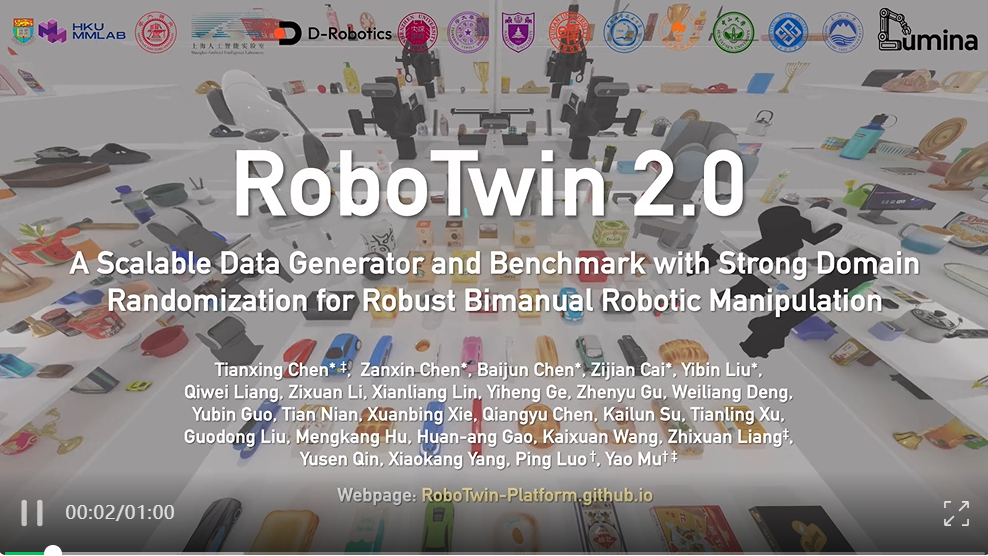
RoboTwin 2.0 is a large-scale dual-arm manipulation benchmark built on the SAPIEN physics engine. It provides a standardized evaluation protocol for bimanual robotic policies across 50 tasks (as of upstream main) with strong domain randomization (clutter, lighting, background, tabletop height, and language instructions).
GitHub: RoboTwin-Platform/RoboTwin
Leaderboard: robotwin-platform.github.io/leaderboard
Dataset: lerobot/robotwin_unified
Overview#
Property |
Value |
|---|---|
Tasks |
50 dual-arm manipulation tasks |
Robot |
Aloha-AgileX bimanual (14 DOF, 7 per arm) |
Action space |
14-dim joint-space, continuous in |
Cameras |
|
Simulator |
SAPIEN (not MuJoCo) |
Eval protocol |
100 episodes/task, 50 demo_clean demonstrations |
Eval settings |
Easy ( |
Available tasks#
RoboTwin 2.0 ships 50 dual-arm manipulation tasks in its upstream envs/ directory. The canonical list is the ROBOTWIN_TASKS tuple in src/lerobot/envs/robotwin.py, mirrored verbatim from the upstream repo. Example tasks:
Task |
CLI name |
Category |
|---|---|---|
Beat block with hammer |
|
Tool use |
Click bell / alarm clock |
|
Precision press |
Stack blocks (2 / 3) |
|
Stacking |
Stack bowls (2 / 3) |
|
Stacking |
Handover block / mic |
|
Bimanual coord. |
Lift pot |
|
Bimanual lift |
Shake bottle |
|
Continuous motion |
Turn switch |
|
Articulated obj |
Stamp seal |
|
Precision place |
Scan object |
|
Mobile manip. |
Pass a comma-separated list to --env.task to run multiple tasks in a single eval sweep.
提示
open_laptop is currently broken upstream (its check_success() uses
self.arm_tag, which is only set inside the scripted-expert play_once()
path and therefore unavailable during normal policy eval). Avoid it until the
upstream bug is fixed, or patch the task to default self.arm_tag = "left" in
load_actors().
Dataset#
The RoboTwin 2.0 dataset is available in LeRobot v3.0 format on the Hugging Face Hub:
lerobot/robotwin_unified
It contains over 100,000 pre-collected trajectories across all 50 tasks (79.6 GB, Apache 2.0 license). No format conversion is needed — it is already in the correct LeRobot v3.0 schema with video observations and action labels.
You can load it directly with the HF Datasets library:
from datasets import load_dataset

ds = load_dataset("lerobot/robotwin_unified", split="train")
Installation#
RoboTwin 2.0 requires Linux with an NVIDIA GPU (CUDA 12.1 recommended). Installation takes approximately 20 minutes.
1. Create a conda environment#
conda create -n robotwin python=3.10 -y
conda activate robotwin
2. Install LeRobot#
git clone https://github.com/huggingface/lerobot.git
cd lerobot
pip install -e "."
3. Install RoboTwin 2.0#
git clone https://github.com/RoboTwin-Platform/RoboTwin.git
cd RoboTwin
bash script/_install.sh
bash script/_download_assets.sh
The install script handles all Python dependencies including SAPIEN, CuRobo, mplib, and pytorch3d.
提示
If the automated install fails, install manually:
pip install -r requirements.txt
pip install "git+https://github.com/facebookresearch/pytorch3d.git@stable"
cd envs && git clone https://github.com/NVlabs/curobo.git && cd curobo
pip install -e . --no-build-isolation
Then apply the required mplib fix: in mplib/planner.py line 807, remove or collide from the conditional.
4. Add RoboTwin to PYTHONPATH#
The RoboTwin task modules must be importable by LeRobot. From within the RoboTwin/ directory:
export PYTHONPATH="${PYTHONPATH}:$(pwd)"
Add this to your shell profile to make it permanent.
Evaluation#
Standard evaluation (recommended)#
Evaluate a policy on a single task with the official protocol (100 episodes):
lerobot-eval \
  --policy.path="your-hf-policy-id" \
  --env.type=robotwin \
  --env.task=beat_block_hammer \
  --eval.batch_size=1 \
  --eval.n_episodes=100
Single-task quick check#
lerobot-eval \
  --policy.path="your-hf-policy-id" \
  --env.type=robotwin \
  --env.task=beat_block_hammer \
  --eval.batch_size=1 \
  --eval.n_episodes=5
Multi-task sweep#
Evaluate on several tasks in one run:
lerobot-eval \
  --policy.path="your-hf-policy-id" \
  --env.type=robotwin \
  --env.task=beat_block_hammer,click_bell,handover_block,stack_blocks_two \
  --eval.batch_size=1 \
  --eval.n_episodes=100
Full benchmark (all 50 tasks)#
lerobot-eval \
  --policy.path="your-hf-policy-id" \
  --env.type=robotwin \
  --env.task=adjust_bottle,beat_block_hammer,blocks_ranking_rgb,blocks_ranking_size,click_alarmclock,click_bell,dump_bin_bigbin,grab_roller,handover_block,handover_mic,hanging_mug,lift_pot,move_can_pot,move_pillbottle_pad,move_playingcard_away,move_stapler_pad,open_microwave,pick_diverse_bottles,pick_dual_bottles,place_a2b_left,place_a2b_right,place_bread_basket,place_bread_skillet,place_burger_fries,place_can_basket,place_cans_plasticbox,place_container_plate,place_dual_shoes,place_empty_cup,place_fan,place_mouse_pad,place_object_basket,place_object_scale,place_object_stand,place_phone_stand,place_shoe,press_stapler,put_bottles_dustbin,put_object_cabinet,rotate_qrcode,scan_object,shake_bottle,shake_bottle_horizontally,stack_blocks_three,stack_blocks_two,stack_bowls_three,stack_bowls_two,stamp_seal,turn_switch \
  --eval.batch_size=1 \
  --eval.n_episodes=100
提示
open_laptop is intentionally omitted above because of the upstream
self.arm_tag bug (see the Available tasks section). Re-add it once the
upstream fix lands.
Camera configuration#
By default, all three cameras are included:
Camera key |
Description |
|---|---|
|
Torso-mounted overhead view |
|
Left arm wrist-mounted camera |
|
Right arm wrist-mounted camera |
To use a subset of cameras, override --env.camera_names:
lerobot-eval \
  --policy.path="your-hf-policy-id" \
  --env.type=robotwin \
  --env.task=beat_block_hammer \
  --env.camera_names="head_camera,left_camera" \
  --eval.batch_size=1 \
  --eval.n_episodes=10
Environment config reference#
Key parameters for RoboTwinEnvConfig:
Parameter |
Default |
Description |
|---|---|---|
|
|
Comma-separated task name(s) |
|
|
Simulation FPS |
|
|
Max steps per episode |
|
|
|
|
|
Comma-separated active cameras |
|
|
Camera pixel height |
|
|
Camera pixel width |
Leaderboard submission#
Results can be submitted to the RoboTwin 2.0 leaderboard. The official protocol requires:
Training on 50
demo_cleandemonstrations per taskEvaluating 100 episodes per task
Reporting success rate separately for Easy (
demo_clean) and Hard (demo_randomized) settings
For submission instructions, refer to the RoboTwin 2.0 documentation.